
Starlink · Newcastle & the Hunter
Starlink Installation in Newcastle
Mark Jamieson installs Starlink on roofs and walls across Newcastle, Lake Macquarie, Port Stephens and the Hunter. You buy the kit from Starlink, and he picks the spot with the clearest view of the sky, fits the mount and runs the cable neatly to your router. He has been working on roofs here since 1999.
- 5.0 from 565 Google reviews
- Same dayLocal service across the Hunter
- ACRSRegistered Cable Licence
- No call-out feeFree quotes, 7 days a week
Why have Starlink installed instead of doing it yourself?
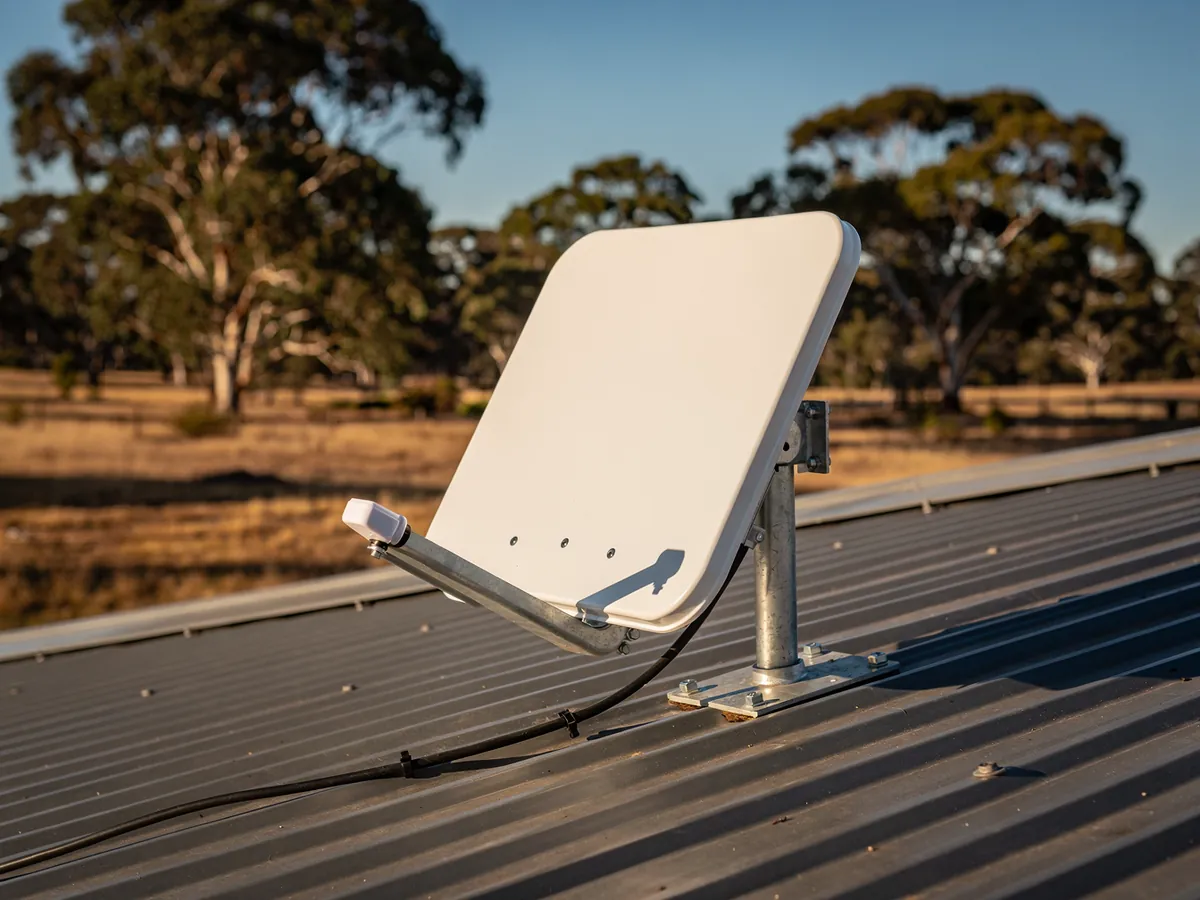
Starlink works out of the box if you sit it on the lawn. The trouble comes when you want it to stay somewhere permanent: up on the roof, clear of trees, with no cable trailing through a window and no hole that leaks in the next downpour. That’s the part Mark does.
Roof work is what he already does every day. Antennas, masts and satellite TV dishes all come down to the same things: a mount that stays put in the wind, a sealed fixing and a cable you can’t see.
| Where it goes | Good for | What to watch |
|---|---|---|
| Metal roof | A clear view of the sky on most homes | Fixings have to be sealed so they don’t leak |
| Tiled roof | A clear view, with the cable going straight into the roof space | Tiles can crack, so the mount has to suit them |
| Wall or eave | Homes where the roof is hard to get to | The house itself can block part of the sky |
| Pole | Blocks with tall trees around the house | A longer cable run, and a solid footing |
Starlink needs a clear view of the sky: the Hunter’s gum trees are the usual problem
Starlink’s own guide asks for a clear view from about 20 degrees above the horizon, all the way around the dish. It also warns that even small objects can interrupt service. That’s a big ask on a bush block at Cooranbong or in the Hunter Valley, where tall gums stand on every side, and a tree that’s fine today can block the view in a few years.
So the mount goes as high as it needs to, not simply where it’s easy. The cable limit matters as well. Starlink’s setup guide says the dish cable can’t be extended past 25 metres, and it can’t be bent tighter than a 10 cm radius, so the route gets planned with that in mind.
How it works
How Mark installs Starlink, step by step
Starlink provides internet, not TV. If you’re after free-to-air by satellite where the signal is poor, that’s a separate service. To book, send Mark a message with a photo of your roof if you can.
Or ring him on 0408 563 949. See what customers say.
Other questions people ask are answered too.
- 01
He checks the sky
Using the Starlink app’s obstruction tool, before anything is fixed down.
- 02
He picks the mount
Roof, wall or pole, to suit your roof and what’s around the house.
- 03
He fixes and seals it
So it stays put in the wind and doesn’t let water in.
- 04
He runs the cable
Through the roof space and wall cavity to where your router lives.
- 05
He checks the connection
Then shows you the app, and cleans up before he goes.
How long does a Starlink install take? Usually part of a day
Across all his work, about 2 hours is a good average for a job. A simple roof mount with a short cable run should sit around that. A pole mount or a long run through a big house can take longer, and Mark will tell you once he’s seen it.
What decides the cost of a Starlink install?
Mostly your roof type and height, which mount you need and how far the cable has to run to the router. A metal roof takes a mount fixed through the sheeting and sealed; a tiled roof needs a different mount, and some homes suit a wall mount better. You buy the kit from Starlink, and Mark’s quote covers the mounting and the cabling.
Mark has no price list, because two homes rarely need the same work, and the quote is free. For a smaller job he can often give you a rough idea over the phone.
FAQ
Starlink questions Mark gets asked
Anything else? Mark would rather you just asked.
Call 0408 563 949Can Starlink go on a tiled or metal roof?
Yes, both can work, but they need different mounts. A metal roof usually takes a mount fixed through the sheeting and sealed. A tiled roof needs a mount that sits safely on the tiles or ridge, or the dish can go on a wall or pole instead. Mark looks at your roof and picks the mount.
What is the 2 month rule for Starlink?
It’s about taking a Roam plan overseas, not about your roof. Starlink says Roam plans cover up to two months of use in another country. A home install in the Hunter isn’t affected. Our Starlink installation guide has more.
Do I need to buy the Starlink kit first?
Yes. You order the kit and set up your plan with Starlink, and Mark handles the mounting and cabling once it arrives. Ring him before you order any extra mounts or longer cables, so you only buy what your home needs.
Where should a Starlink dish be mounted?
Where it has the clearest view of the sky, away from trees, chimneys and taller parts of the house. Starlink asks for a clear view from about 20 degrees above the horizon, all the way around. Its app has a tool that checks this before anything gets fixed down.
Does Starlink need its own TV or antenna?
No. Starlink only provides internet, so your TV antenna stays as it is. You can stream over Starlink, but for free-to-air channels you still need an antenna or free-to-air by satellite.
What decides the cost of a Starlink install?
Mostly your roof type and height, which mount you need, and how far the cable has to run to the router. Mark doesn’t use a price list. He gives a rough idea over the phone and comes out to look at bigger jobs, and the quote is free.
Got the kit sitting in the box because you don’t fancy the roof? Ring Mark on 0408 563 949. He’s up there every day.
Selected reviews
What people say about Mark’s Starlink installs

Free quote
Picture playing up? Call Mark.
No call-out fee, and quotes are free. Open 7 days. Smaller jobs priced over the phone, and often done on the spot.
0408 563 949